




Zoom Windows Client – Critical Update
by Mike Puglia
3 min read
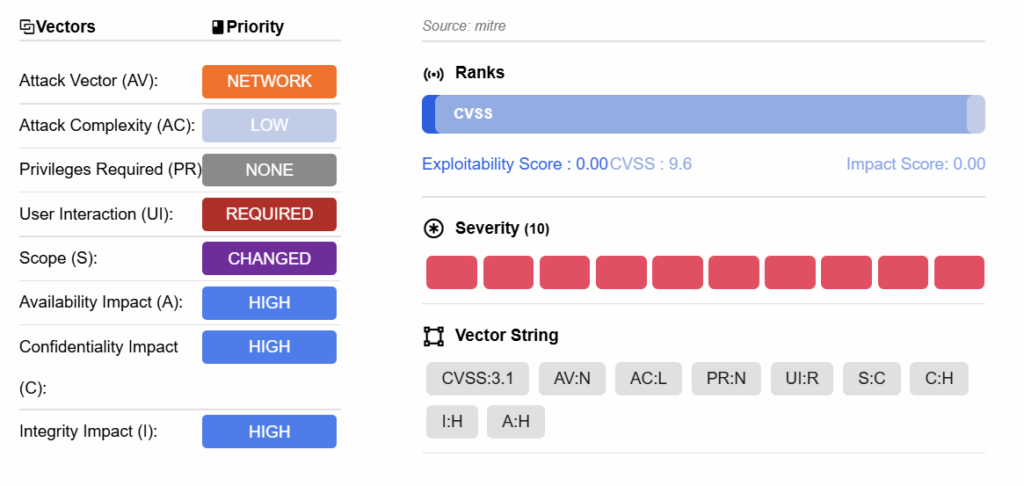
Zoom, one of the most widely adopted collaboration and web meeting tools, has published a critical vulnerability (CVE-2025-49457) for its Windows Client. The vulnerability, an Untrusted Search Path (CWE-426), may allow an unauthenticated user to conduct an escalation of privilege via network access on versions lower than 6.3.10. The flaw was discovered by Zoom’s Offensive Security Team and, as of this writing, we have not seen any evidence of exploitation. However, given the popularity of Zoom’s software and the severity (CVS Score of 9.6 – critical), priority should be given to updating to the latest version.
The vulnerability does not require authentication and could allow an attacker to place malicious files, like DLLs, at any location accessible by the client. Exploitation would result in the attacker’s injected code running with Zoom’s privileges.
By default, Zoom Automatic Update is enabled in standard installation packages (EXE, DMG), and disabled in mass distribution packages for managed systems (MSI, PKG). This can be manually controlled in the desktop app settings. Automatic Update can be set to Slow (Default) or Fast. Clients on the Slow track may only see updates every 1 to 2 months. Full details of Automatic Updates are available at: https://support.zoom.com/hc/en/article?id=zm_kb&sysparm_article=KB0063814
Vulnerability Information
- Product: Zoom Client for Windows
- Affected Versions: Versions prior to 6.3.10
- CVE: CVE-2025-49457 (CVSS 9.6 – Critical)
- CVE Publish Date: 11 August 2025
- Type: Untrusted Search Path – leading to unauthenticated user to conduct an escalation of privilege via network access
- Advisory: https://www.zoom.com/en/trust/security-bulletin/zsb-25030/
Our Response
Datto EDR and RocketCyber Managed SOC both have deployed rules to detect the misuse of loading potentially malicious files/DLLs.
Recommended Actions
Using Datto RMM
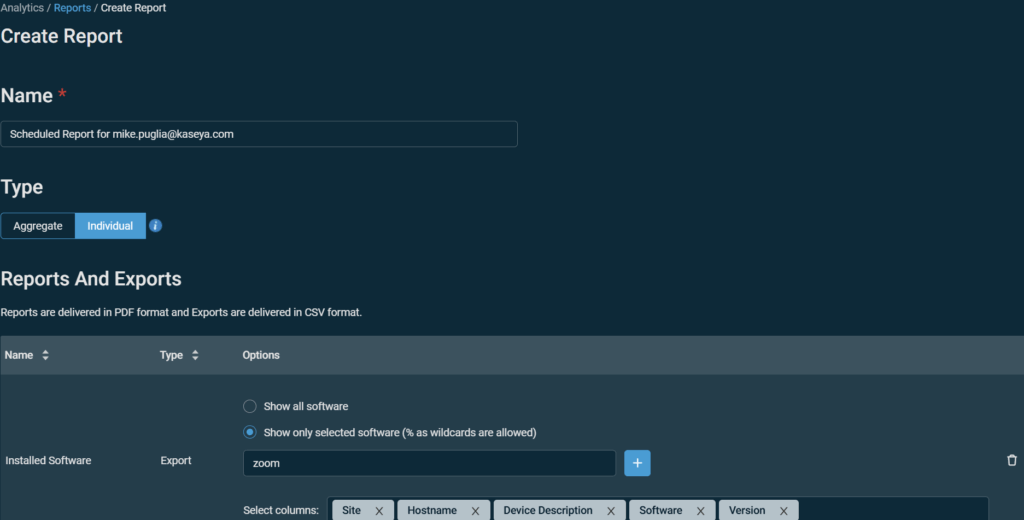
Run an inventory in your RMM to find vulnerable versions. As an example, Datto RMM users can find a software inventory report within Analytics->Create Report->Exports and use “Installed Software” and then enter “zoom” in the “show only selected software” section – this will create a CSV file with a list of hosts with zoom and the version.
Using VSAX
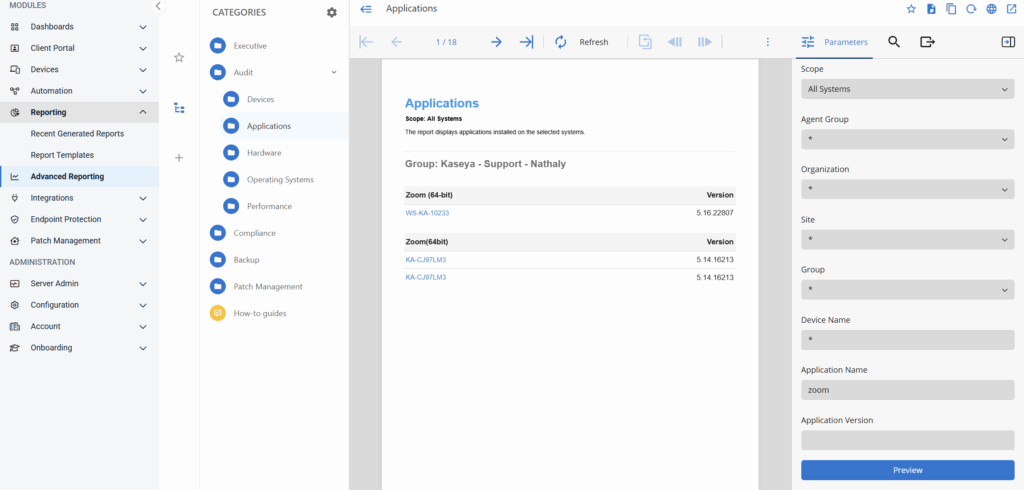
Run a report by going to Advanced Reporting ->Audit -> Applications and filter by Application Name – Zoom:
Using Security Tools
Vulnerability Scanners and EDR products often collect installed software version information. Within Datto EDR you can find installed application versions within Analysis:Applications or Search:Applications.

Using Powershell
You can also find vulnerable versions by running the following powershell command on your systems:
> Method 1 (Local):
Get-WmiObject -Class Win32_Product | where name -match Zoom| select Name, Version> Method 1 (Remote):
$dnsname = "workstation1.kaseya.internal"
Get-WmiObject -Class Win32_Product -ComputerName $dnsname | where name -match "Zoom" | select PSComputerName, Name, Version
> Method 2 – Query Registry
$InstalledSoftware = Get-ChildItem "HKCU:\Software\Microsoft\Windows\CurrentVersion\Uninstall"
foreach ($obj in $InstalledSoftware) { "$($obj.GetValue('DisplayName')) $($obj.GetValue('DisplayVersion'))" }
Additionally, the following Powershell script will check the Zoom version – if Zoom is installed and it is less than 6.3.10, it will update Zoom to the latest version (Please review the script in detail prior to running in a production environment as it will make changes to an installed application):